
Mac App
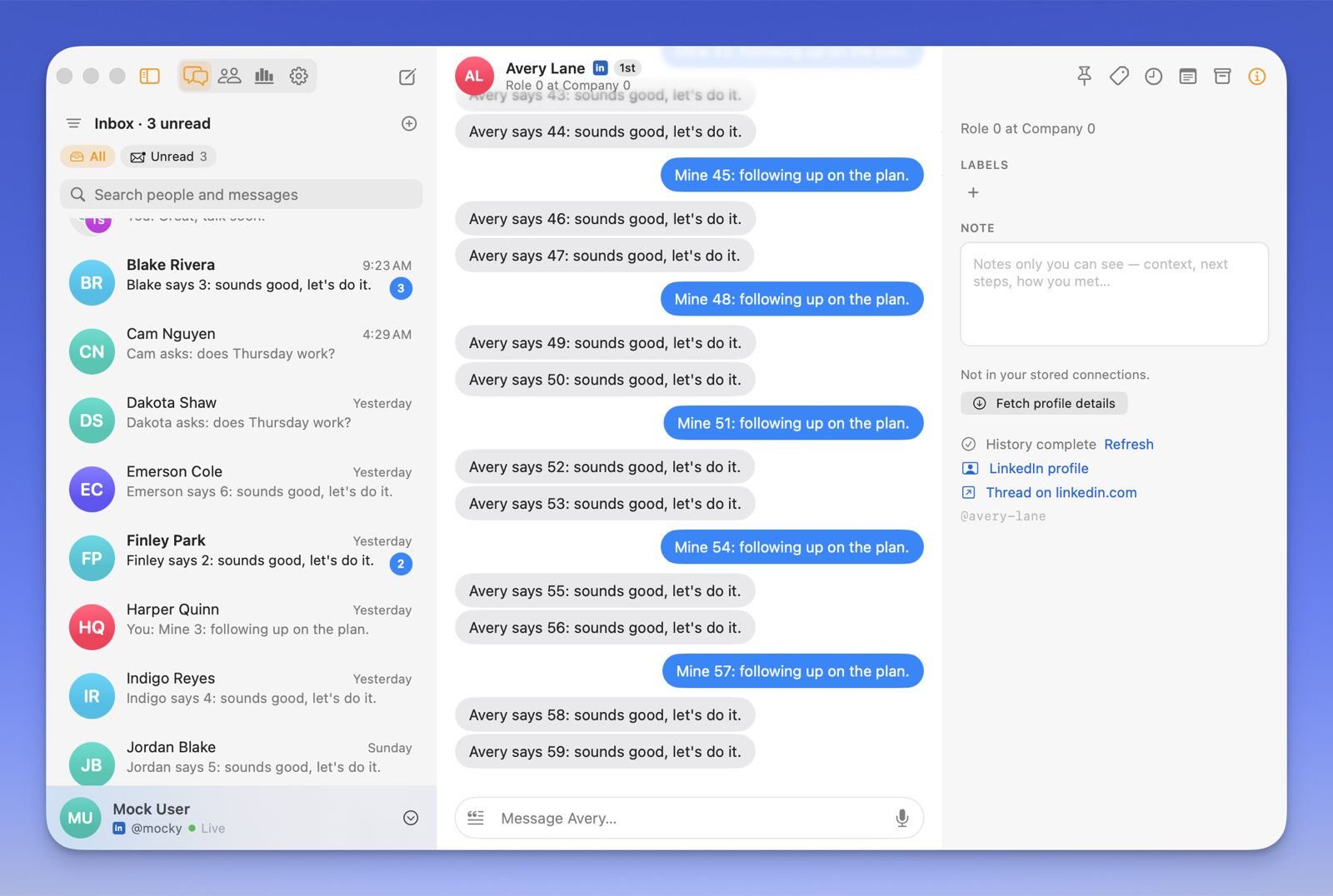
Allman for Mac is a native macOS app over the same local store the CLI keeps in ~/.allman. It does two jobs: it keeps the store live from the menu bar, and it puts an iMessage-style inbox on top of it.
Source and releases: github.com/tarkaai/allman-mac (MIT). Install steps are on the Installation page.
What it does
Section titled “What it does”- Inbox. Search people and every message body, pin favorites, filter by unread or by label, swipe rows Mail-style, reply with reactions and quotes.
- Organize. Labels act as split inboxes; private notes per contact; snooze and reminders; archive with undo; saved snippets with placeholders.
- Groups. Group threads with sender captions, and new group messages to several people.
- Network. Your connections as a sortable table, with enrichment and connection requests driven through the CLI and its rate limits.
- Insights. Volume, reply rate and median reply time per account, by calendar range.
- Always on. A menu bar item keeps
allman listenrunning, re-syncs on wake and network changes, and posts native notifications with inline reply. Several accounts can be signed in at once.
How it relates to the CLI
Section titled “How it relates to the CLI”The app embeds the allman binary and never talks to LinkedIn itself:
- Reads come straight from the store on disk. An FSEvents watcher reloads whatever changes, including writes made by the CLI or TUI in a terminal.
- Writes are CLI calls:
allman send,allman react,allman read,allman sync,allman people,allman enrich,allman connect,allman login. Rate limiting, pre-send checks and git commits all go through the canonical path. - Live state comes from a long-running
allman listenper account. - App-owned state (read watermarks, pins, labels, notes, snoozes, reminders, snippets) lives under
~/Library/Application Support/Allman/, never in the store, so the store’s git history stays clean.
Requirements
Section titled “Requirements”- macOS 26 (Tahoe) or later on Apple Silicon.
- Nothing else: the CLI is embedded. Set
ALLMAN_BINto point the app at a differentallmanbinary.
The full user guide, keyboard shortcuts and development notes are in the repo under docs/.