from sendmail to your DMs

Every DM,
one terminal.

A local-first, AI-native CLI and terminal UI for the messages humans send each other. Read, search, reply, and pipe to agents — all from your shell.

LinkedIn today. iMessage, Slack, Discord, email, SMS next.

allman
$ allman sync
syncing inbox · 47 conversations · 312 messages fetched
done in 8.2s
$ allman inbox --json | claude
→ 3 unread · agent drafting replies...
$ allman send jamie-rivera "Thursday works. 2pm?"
sent to Jamie Rivera
$ _
Local-first

Your data, on your disk.

Messages are plain JSONL in a local git repo. No cloud sync. No telemetry. cat, grep, and git log work exactly as you'd expect.

AI-native

Built to be piped.

Every command speaks --json. NDJSON event streams feed agents in real time. No SDK to learn — just shell out.

Keyboard-driven

Never leave the shell.

Full terminal UI with vim bindings, inline search, and emoji reactions. Designed for people who already live in tmux.

Channels

Today LinkedIn.
Tomorrow, everywhere humans message.

allman's ambition is the same as sendmail's was for email — one open, programmable, local-first layer for every messaging channel. One adapter at a time.

LinkedIn SHIPPING

Full sync · real-time listen · send · react · search

iMessage NEXT

Local macOS DB adapter

Slack PLANNED

Workspace DMs + threads

Discord PLANNED

DMs across servers

Email PLANNED

IMAP + Gmail API

SMS PLANNED

Twilio + macOS Messages

X / Bluesky LATER

Direct messages

Your channel SDK

Adapter API · write your own

Interface

Two front-ends.
One local store.

allman — the CLI

Sync, search, send, and listen from the command line. Pipe to scripts, feed to agents, or wire into your shell the way you'd wire any Unix tool.

  • allman sync — pull conversations with incremental or full re-sync
  • allman listen — stream live events as NDJSON
  • allman send — reply by slug, URL, or URN with pre-send safety
  • allman grep — full-text search over every message you've had
  • allman inbox — watermarked unread feed built for agent polling
allman listen
$ allman listen --json
connected · streaming events...
{"type":"message","from":"jamie-rivera",
 "body":"Thursday at 2 works!","ts":...}
{"type":"reaction","from":"taylor-osei",
 "emoji":"👍","msgUrn":...}
{"type":"typing","from":"morgan-patel"}
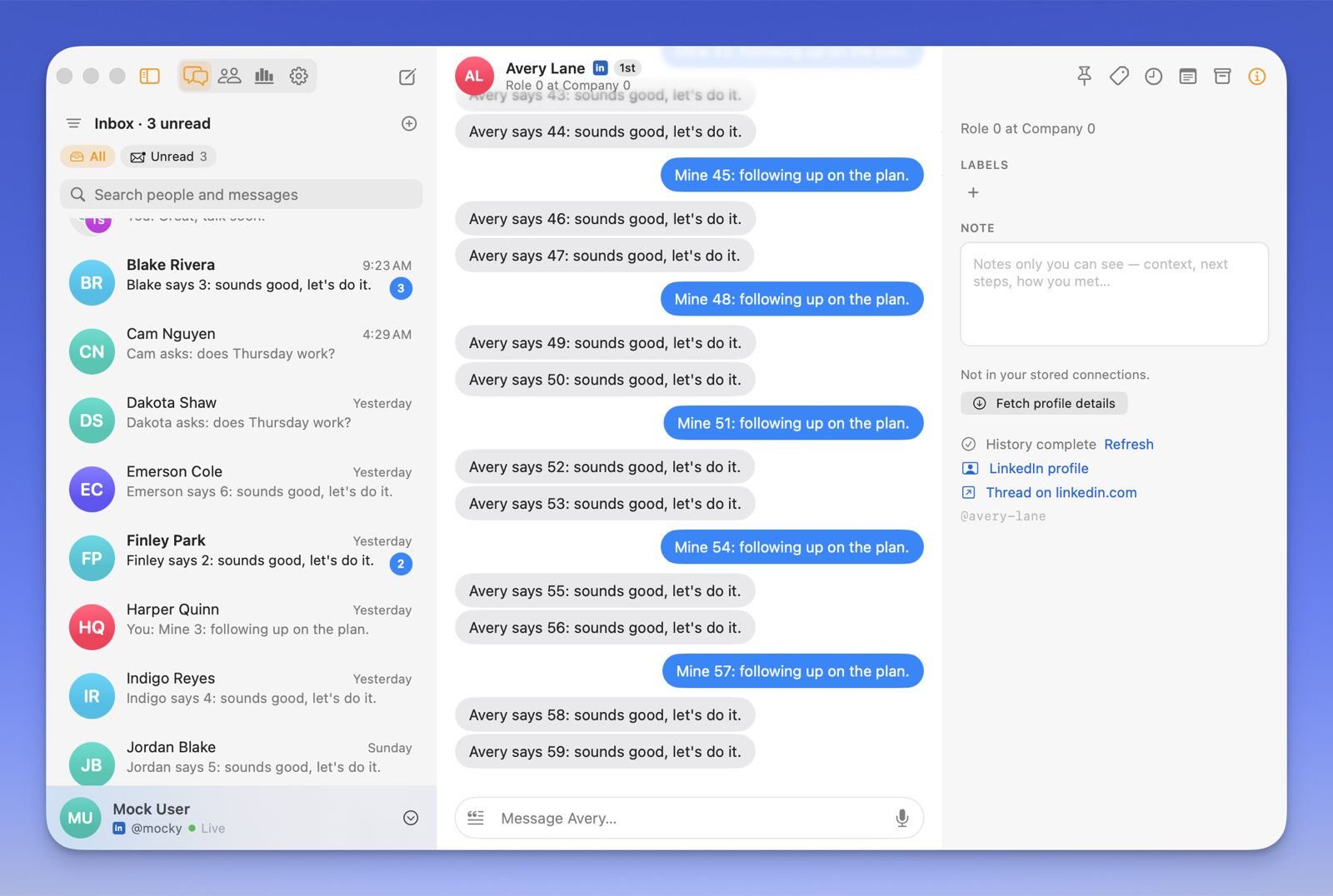
allman-tui
CONVERSATIONS
▸ Jamie Rivera 2m
  Taylor Osei 1h
  Morgan Patel 3h
  Casey Tanaka 1d
  Riley Johansson 2d
Jamie Rivera @jamie-rivera
Product Lead at Acme Corp
─── Today ───
you 2:15 PM
Thursday works. 2pm?
Jamie 2:18 PM
Thursday at 2 works!
↳ 👍
[browse] your-account · 47 convs · 3 unread · ● live · ? help

allman-tui — the inbox

A full inbox experience in your terminal. Browse, read, compose, react, search — everything a mail client does, with keys instead of clicks.

  • Vim-style nav: j/k, g/G, / search
  • Live updates via the platform's real-time event stream
  • Inline emoji picker with search-as-you-type
  • Quick-reply templates with variable substitution
  • Open profiles and threads in browser with one key

For Agents

Your agent shells out
to allman, exactly like you do.

No protocol. No SDK. No long-running server to negotiate with. Agents call the CLI, parse JSON, pipe to the next step — the same tools every developer already knows. Sendmail was an executable, not a service. allman follows the same rule.

  • SHELL
    A CLI is a tool. Agents use tools.

    Works inside Claude Code, Cursor, Windsurf, or any framework with shell access. Inspectable, replayable, composable with jq, grep, and every other Unix tool.

  • JSON
    Structured output, everywhere.

    Every command takes --json. stdout is data, stderr is logs — agents parse without prompting tricks.

  • STREAM
    NDJSON for long-running agents.

    allman listen --json emits messages, reactions, and typing indicators as newline-delimited JSON. Pipe it into anything.

  • SAFE
    Pre-send guards + rate limits.

    Aborts if a new inbound arrived since your agent's last read. Per-channel throttles enforced in the client. Your agent can't be too eager.

agent + allman
# Poll for new messages as JSON
$ allman inbox --json --since 5m
[{"from":"jamie-rivera",
  "body":"Can we reschedule?",
  "channel":"linkedin"}]
# Filter with jq, hand to the model
$ allman inbox --json \
  | jq '.[] | select(.unread)' \
  | claude -p "draft replies"
# Stream for long-running agents
$ allman listen --json | agent
connected · waiting...

How It Works

Four commands.
That's the whole setup.

01

Install

One binary, no package manager. Works on macOS and Linux.

curl -fsSL https://raw.githubusercontent.com/tarkaai/allman-tui/main/install.sh | bash
02

Login

Real browser session. Cookies stay on your disk.

allman login
03

Sync

History → JSONL. Incremental by default.

allman sync
04

Use

Browse, script, or hand off to an agent.

allman-tui

Store

Plain files.
In a git repo.

Every message you receive is a line in a JSONL file on your disk. cat, grep, jq — they all work. Back it up with git push. There is no other database.

Credentials never leave your machine. Authentication happens through a real browser session — the same way you'd log in yourself.

~/.allman
.allman/
  ACoAAA.../ # your account
    conversations/
      2-abc123/
        meta.json # name, headline
        messages.jsonl # full history
      @jamie-rivera → 2-abc123
      @taylor-osei → 2-def456
    config.json
    COOKIES.json (gitignored)

Lineage

Named after a mail carrier.

Eric Allman wrote sendmail in 1981 — the open, programmable mail transfer agent that moved a generation of human messages.

Forty-five years later, those messages live in a dozen closed silos. allman is the same idea, for the channels that actually matter now.

Get early access.

allman is in private beta. Sign up for the CLI, TUI, docs, and direct support from the team building it.

No credit card. No spam. We'll email you setup instructions.